
Settings
This content is for 1.1 (beta). Switch to the stable release docs.
Tap the gear icon in the navigation bar to open Settings. It’s a single list of pages in three groups, and every page is one tap away.
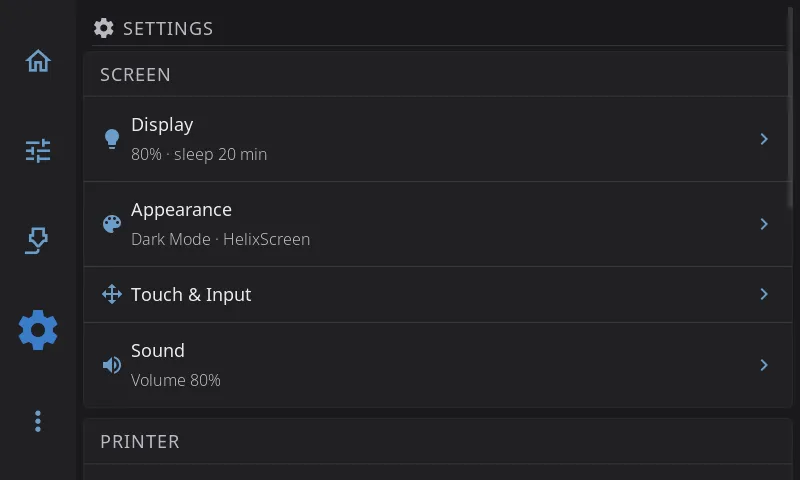
The three groups
Section titled “The three groups”Screen is about the touchscreen you’re holding: how it looks, how it reacts to your finger, and how it sounds.
| Page | What’s in it |
|---|---|
| Display | Screen rotation, UI scale, brightness, screen dim, display sleep, screensaver, sleep while printing |
| Appearance | Dark mode, color themes and the theme editor, animations, widget labels, and how the printer is drawn (toolhead picture, G-code preview, Z labels, bed mesh view) |
| Touch & Input | Touch calibration, touch points, scroll and long-press feel, home screen editing, scroll buttons, and on Android the keyboard and navigation bar |
| Sound | Sounds on or off, volume, button sounds, sound theme, output device, sound preview. Only shown when HelixScreen finds a speaker or buzzer |
Printer is about the printer the screen drives and the hardware around it.
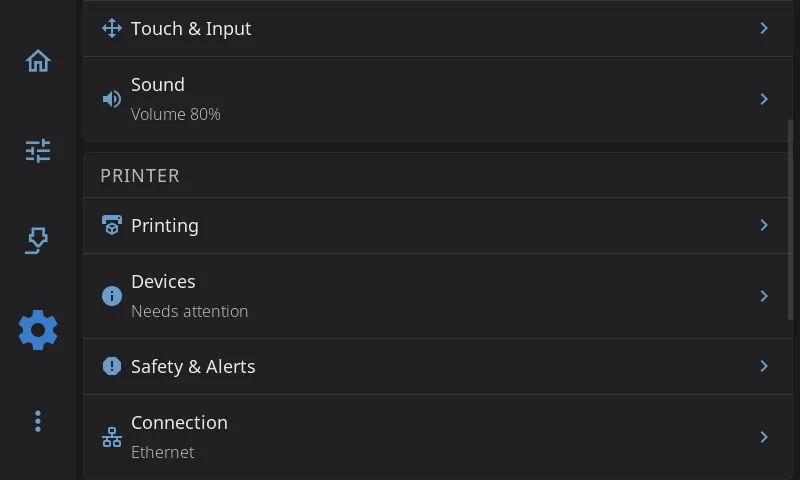
| Page | What’s in it |
|---|---|
| Printing | Machine limits, motion, retraction, enclosure, material temperatures, cold load and unload, cooling the nozzle after a filament change, timelapse, macro buttons |
| Devices | Hardware health, camera, filament system, fans, sensors, LED settings, power devices, Spoolman (with label printer and barcode scanner) |
| Safety & Alerts | E-Stop confirmation, cancel escalation, macro confirmation, spaghetti detection, print completion alert, on-screen alerts |
| Connection | Wi-Fi and Ethernet, your printers, the Moonraker address |
HelixScreen is about the app itself.
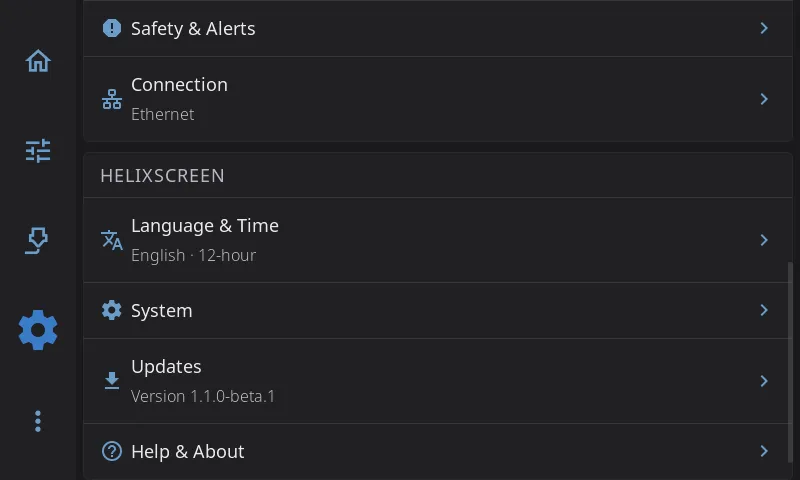
| Page | What’s in it |
|---|---|
| Language & Time | Language, timezone, 12 or 24-hour clock |
| System | Screen lock PIN, performance, usage data, log level, restart, factory reset |
| Updates | Update channel, checking for and installing updates. Shows a note instead when your firmware handles updates |
| Help & About | Welcome tour, debug bundles, Discord, documentation, and About (versions, system details, print hours) |
Status lines
Section titled “Status lines”Some rows show a short line under their name, so you can check things without opening the page. The lines refresh every time you come back to the Settings screen.
| Row | What the line shows | Examples |
|---|---|---|
| Display | Brightness and when the screen sleeps | 80% · sleep 10 min, 80% · never sleeps, Sleep 10 min (screens without brightness control) |
| Appearance | Light or dark, and your theme | Dark Mode · Nord |
| Sound | Your volume | Volume 60%, Muted |
| Devices | A hardware health check | All healthy, Needs attention, Problem found |
| Connection | How the screen is connected | Wi-Fi HomeNet, Ethernet, Not connected |
| Language & Time | Your language and clock | English · 24-hour |
| Updates | Whether an update is waiting | Up to date, 1.1.1 available, Checking…, Check failed, Version 1.1.0, Managed by firmware |
Touch & Input, Printing, Safety & Alerts, System and Help & About have no status line.
Where did it go?
Section titled “Where did it go?”If you’re coming from HelixScreen 1.0, Settings used to have six categories. Everything is still there and keeps its value; this is where each part moved.
| In 1.0 | Now |
|---|---|
| Display & Sound: brightness, dim, sleep, screensaver, rotation, UI scale | Display |
| Display & Sound: dark mode, theme colors, animations, widget labels, bed mesh render | Appearance |
| Display & Sound: sounds, volume, sound theme | Sound |
| Display & Sound: language, timezone, time format | Language & Time |
| Display & Sound: scroll buttons, system keyboard, keep navigation bar | Touch & Input |
| Printing: toolhead style, G-code preview, Z movement | Appearance > Printer Visuals |
| Hardware & Devices | Devices |
| Hardware & Devices > Printers | Connection > Printers |
| Safety & Notifications | Safety & Alerts |
| Safety & Notifications: allow cold load/unload, cool nozzle after filament ops | Printing |
| System > Network Settings, System > Host | Connection |
| System > Touch & Input | Touch & Input, now straight from the Settings screen |
| Help & About > About: update channel, check for updates | Updates |
Next: Advanced Features | Prev: Calibration & Tuning | Back to User Guide